
What is M3U8? The Ultimate Beginner's Guide & How It Works
M3U8 is a plain-text playlist file format.
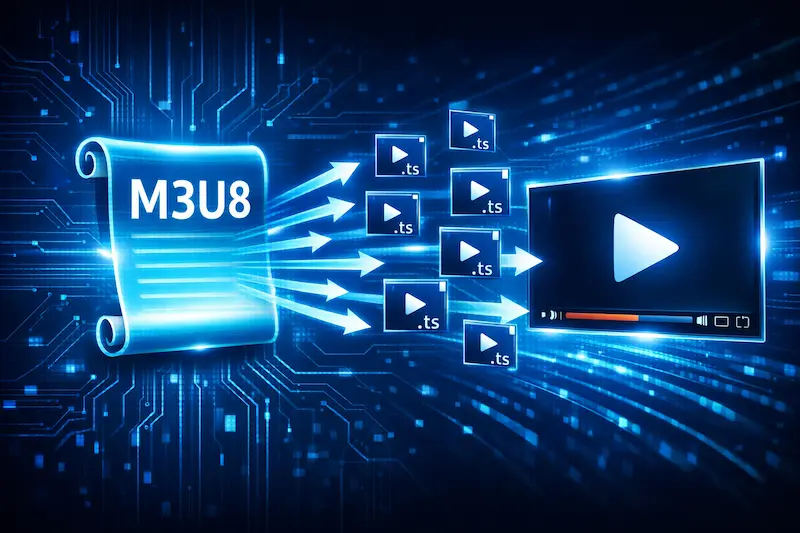
It is not a video file itself — instead, it tells the player where the video segments are, how to play them, and when to switch quality.
If you're encountering this term for the first time, think of it as a "streaming instruction manual."
What Does an M3U8 File Actually Do?
An M3U8 file typically contains:
- The URL of each video segment
- The playback duration of each segment
- Instructions for switching between different quality versions
When a player reads an M3U8 file, it follows the instructions to download and play the content segment by segment — rather than loading the entire video at once.
This is why modern streaming platforms let you start watching immediately, without waiting for the full video to download.
What's the Relationship Between M3U8 and HLS?
You'll almost always see M3U8 and HLS mentioned together.
The reason is simple:
M3U8 is the core component of HLS (HTTP Live Streaming) protocol.
HLS was developed by Apple and has since become the industry standard for streaming.
If you want a deeper understanding of how it works, check out:
👉 Complete Guide to M3U8 and the HLS Protocol
Why Do Almost All Streaming Services Use M3U8?
1️⃣ Automatic Quality Switching (ABR)
Have you ever noticed that when your internet slows down, the video quality drops slightly — but it rarely freezes completely?
That's the power of M3U8 + HLS.
The player dynamically selects the most appropriate quality version based on your current network conditions.
2️⃣ Perfect for Live Streaming
Because video is split into many small segments:
- The entire video doesn't need to be generated before playback
- Segments can be generated and delivered simultaneously
- This makes it ideal for live broadcasts and real-time events
That's why you'll find M3U8 used on live streaming platforms, news channels, and sports broadcasts.
What's the Difference Between M3U8 and MP4?
This is the most common point of confusion.
Simply put:
- MP4 is a complete video file
- M3U8 is a playlist
For a more detailed comparison, see:
👉 M3U8 vs MP4: Full Comparison
How Do You Play an M3U8 File?
Since M3U8 is not a video file, you can't open it in just any media player.
You need either: - A player that supports HLS - Or an online tool that can parse M3U8 streams
If you just want to quickly test whether a stream is working, the easiest method is to use an online player.
For a full step-by-step guide:
👉 How to Play M3U8 Streams: Complete Tutorial
Why Does M3U8 Sometimes Fail to Play?
If you've encountered:
- 403 Forbidden
- CORS Error
- Endless buffering with no picture
These issues are almost never caused by the player itself — they're restrictions from the stream source.
These problems are very common. See our dedicated troubleshooting guide:
👉 Common M3U8 Playback Errors & Fixes
What Does an M3U8 File Look Like?
M3U8 is fundamentally a text file — you can even open it in Notepad.
If you're curious about tags like #EXTINF and #EXT-X-STREAM-INF, dive into:
👉 M3U8 File Structure Explained
Is M3U8 Safe?
M3U8 itself is just a playlist — it contains no executable code or malware.
What matters is how you use it.
In general, playing online is safer than downloading video files and carries fewer risks.
For the reasoning behind this:
👉 Why Online Playback is Safer Than Downloading
TL;DR (Just Remember This)
- M3U8 is a playlist, not a video file
- Used by virtually all streaming platforms
- Supports automatic quality switching and live streaming
- Use an HLS-compatible player or online tool to play it
If you just want to test or play an M3U8 stream, use this site's online player — no installation required.
Ready to test your M3U8 stream?
🚀 Try the M3U8 Online Player