
Common M3U8 Playback Errors: 403, CORS & Black Screen Troubleshooting
When M3U8 won't play, most people's first instinct is to blame the player — but in practice, the real cause is almost always the stream source itself. M3U8 is a playlist file; the player simply follows its instructions to fetch data. If any link in that chain is blocked, you'll see playback failures, freezes, or error messages.
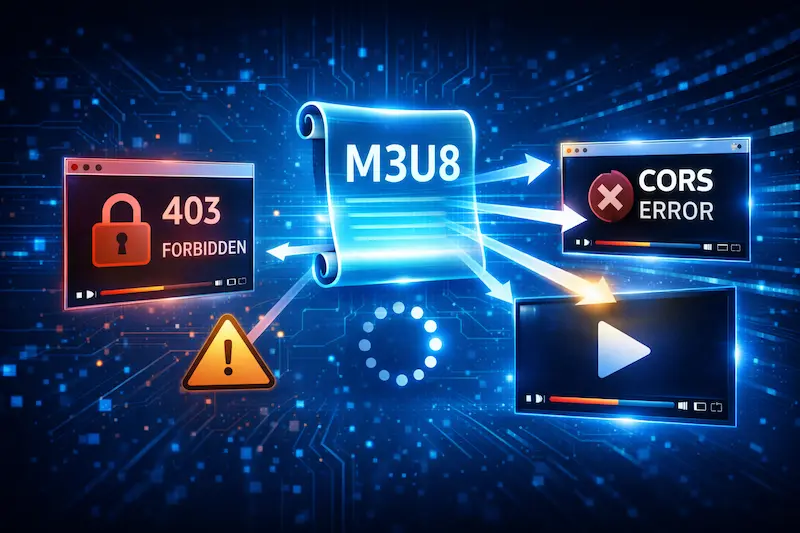
Why Are M3U8 Playback Errors So Common?
Unlike a standard video file, M3U8 playback involves multiple requests and continuous downloads. The player doesn't fetch a single file — it repeatedly requests the playlist and video segments. If any single request is rejected, the entire playback can fail.
What Are the Checkpoints in an M3U8 Playback Flow?
A complete M3U8 playback typically involves:
- Requesting the master playlist (M3U8)
- Fetching video segments based on the playlist
- Continuously updating the playlist (for live streams)
If any step is blocked, the player will show an error or appear to be stuck in an endless loading state.
If you're not yet familiar with this flow, see: 👉 M3U8 & HLS Protocol Explained
What Does 403 Forbidden Mean?
403 is one of the most common M3U8 errors. It means the server is refusing to grant you access.
Why Do You Get a 403?
In streaming contexts, 403 typically comes from:
- The server checking the
Refererheader — only allowing playback from specific websites - The stream requiring token authentication, and the URL has expired
- The stream being restricted to a specific app or origin
In these cases, even if the M3U8 URL itself is correct, the player is blocked because the playback environment doesn't meet the source's requirements.
What Can You Do as a User?
If you're just testing whether a stream exists, try different playback methods to identify the restriction. For example, testing with this site's M3U8 Online Player will display specific error codes (like 403 or CORS), helping you pinpoint the problem faster. However, if the source has access restrictions, there's generally no way to bypass them from the client side.
Why Is CORS Error So Common?
CORS errors are extremely common when playing M3U8 in a browser — especially in Chrome or Edge.
What Is CORS?
CORS (Cross-Origin Resource Sharing) is a browser security mechanism that restricts web pages from loading resources from different origins. If the stream server hasn't enabled cross-origin access, the browser will block the request outright.
Why Does It Play in VLC but Not in the Browser?
Desktop players like VLC are not subject to browser CORS restrictions. It's perfectly common for an M3U8 stream to play in VLC but fail in a browser.
If you're using a browser to play, make sure you're using the right method: 👉 How to Play M3U8: Complete Guide
Endless Spinner with No Picture — How to Diagnose
Some playback failures don't show a clear error message — the stream just appears to hang in a loading state. This is often the most confusing situation.
Common Causes
- Expired video segment URLs
- Playlist not updating (for live streams)
- Stream has ended or been taken offline
When the player tries to download segments and receives no data, it stays in a waiting state — which looks like buffering that never resolves.
How to Quickly Isolate the Problem
The simplest approach: test with a different player. If the same M3U8 fails across multiple players, the problem is almost certainly with the stream source, not the playback method.
Playback Works But Keeps Stuttering — Why?
If you get a picture but the video stutters or buffers frequently, the stream is technically accessible but conditions aren't optimal.
Common Contributing Factors
- Insufficient network bandwidth for the selected quality
- Stream only offers a single quality level (no ABR)
- Player is unable to switch quality levels correctly
If the stream doesn't provide a multi-quality playlist, the player can't adapt — it's forced to maintain the original bitrate regardless of network speed.
Why Does Some M3U8 Only Play on Certain Platforms?
You might encounter streams that play in a mobile app but fail on desktop, or vice versa.
How Are Platform Restrictions Implemented?
Stream providers can restrict playback environments in several ways:
- User-Agent binding — only specific apps or browsers allowed
- Request origin verification — checking the Referer or Origin header
- Specific player SDK requirements — the stream expects a particular client
These restrictions are applied server-side — the only client-side option is to find a playback method that meets the source's conditions.
How to Systematically Diagnose M3U8 Errors
When M3U8 won't play, check in this order:
- Confirm the M3U8 URL is still valid — test by opening directly in a browser
- Try a different player — rule out player-specific issues
- Check for 403 or CORS errors — look in the browser's DevTools Network tab
- Determine if it's a source restriction — if multiple tools fail, the source is likely the problem
This approach quickly narrows down the issue and saves you from wasting time on player settings.
FAQ
Why did an M3U8 I could play yesterday suddenly stop working?
Many stream URLs have a time limit. Once the token expires, the server rejects the request.
Is there anything I can do about a CORS error?
Typically not from within the browser. Switching to a desktop player or a different online tool can help you at least confirm whether the issue is CORS or something else.
Does a playback error mean the stream is broken?
Not necessarily. Sometimes the stream is fine, but the playback environment doesn't meet the source's requirements. Testing with different methods is the only way to know for sure.
Ready to test your M3U8 stream?
🚀 Try the M3U8 Online Player