
M3U8 File Structure Explained: Reading EXTM3U Tags Line by Line
An M3U8 file looks like a mix of directives and URLs — but it's really just a "playback script." The player doesn't make its own decisions about how to play a video; it follows the M3U8 file line by line. Once you understand the structure, you'll know why some streams work and others fail — and you'll be much better at tracking down problems.
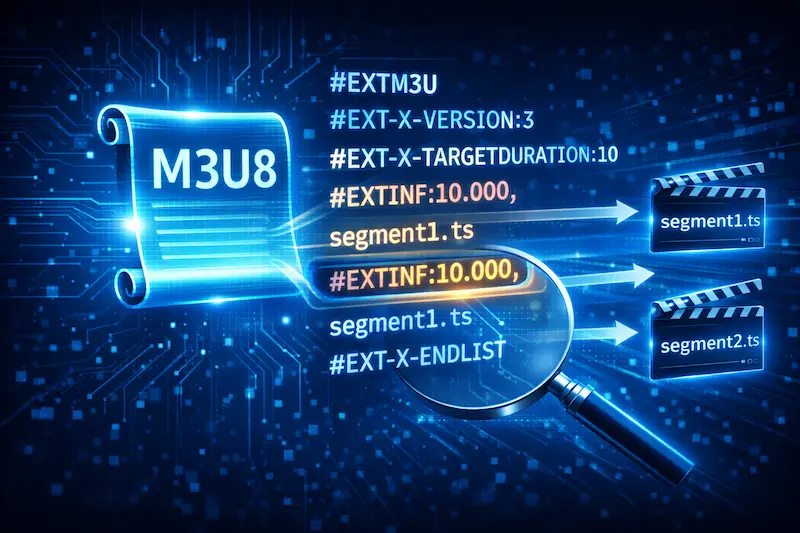
A Simple M3U8 Example
In practice, a basic M3U8 file looks like this:
#EXTM3U
#EXT-X-VERSION:3
#EXT-X-TARGETDURATION:10
#EXTINF:10.000,
segment1.ts
#EXTINF:10.000,
segment2.ts
#EXT-X-ENDLIST
This is not code — it's plain text. The player reads it from the first line, sets rules when it encounters tags, and fetches video segments when it sees filenames or URLs.
If you're not yet clear on M3U8's role in the overall streaming flow, read this first: 👉 M3U8 & HLS Protocol Explained
Why Must M3U8 Be Plain Text?
Because the player needs to read and update it quickly. Plain text is fast to parse and easy to update in real time — which is critical for live streams and long-duration broadcasts.
What Is #EXTM3U?
#EXTM3U is the required opening tag for every M3U8 file.
Why Is This Line Required?
This line tells the player: "This is an extended M3U playlist." Without it, most players will ignore the entire file.
From the player's perspective, #EXTM3U is like an ID card for the file — no ID, no further reading.
Version and Playback Rule Tags
After #EXTM3U, you'll typically see tags starting with #EXT-X-. These describe playback rules.
What Does #EXT-X-VERSION Do?
#EXT-X-VERSION specifies which version of the HLS specification this playlist uses.
For example:
#EXT-X-VERSION:3
This tells the player to interpret the following instructions using the rules for that particular HLS version. Different versions support different features, and version mismatches can cause inconsistent player behavior.
What Is #EXT-X-TARGETDURATION?
#EXT-X-TARGETDURATION:10
This indicates that each segment in the playlist is at most 10 seconds long.
The player uses this value to schedule buffering and playlist polling intervals. If actual segment durations exceed this value, the player may behave unexpectedly.
#EXTINF and Video Segments
#EXTINF is one of the most frequently appearing tags in any M3U8 file.
Basic Format of #EXTINF
#EXTINF:10.000,
segment1.ts
This means:
- This segment is approximately 10 seconds long
- The next line,
segment1.ts, is the actual media file to fetch
When the player sees #EXTINF, it records the duration and immediately fetches the file on the next line.
Why Is Duration Recorded Here?
Because the player needs to know how long each segment plays to calculate progress, preload the next segment, and determine the right moment to switch quality levels.
What Formats Can Segments Be In?
In early HLS, segments were almost always .ts (MPEG-TS). Today, fragmented MP4 (fMP4) is increasingly common.
Whatever the file extension, M3U8 simply points to file locations — it doesn't care about the internal format. Decoding is handled by the player.
What Does #EXT-X-ENDLIST Mean?
#EXT-X-ENDLIST
This line signals that the playlist is complete — no new segments will be added.
Does It Matter Whether #EXT-X-ENDLIST Is Present?
- With
#EXT-X-ENDLIST: Usually indicates a VOD (video on demand) stream with a fixed number of segments - Without
#EXT-X-ENDLIST: Common in live streams, where the playlist is continuously updated
The player uses the presence or absence of this tag to decide whether to keep polling the M3U8 for new segments.
Master Playlist vs. Media Playlist Structure
Beyond single-quality playlists, the more common real-world scenario is a multi-quality structure.
What Does a Master Playlist Look Like?
A master playlist doesn't list video segments directly. Instead, it lists sub-playlists for different quality levels:
#EXTM3U
#EXT-X-STREAM-INF:BANDWIDTH=800000,RESOLUTION=640x360
low.m3u8
#EXT-X-STREAM-INF:BANDWIDTH=1400000,RESOLUTION=1280x720
mid.m3u8
The player reads this first, then selects the appropriate sub-playlist based on network conditions.
The Media Playlist Contains the Actual Segments
The selected sub-playlist is what contains #EXTINF tags and actual video segments. This two-level structure is precisely what enables adaptive bitrate switching.
Why Understanding the Structure Helps with Debugging
When playback fails, knowing "which step the player is stuck at" helps you pinpoint the problem much faster.
Common Structure-Related Issues
- Segment URLs are expired or invalid
- Playlist content hasn't updated (live stream issue)
- Duration tags are inconsistent with actual segment length
All of these issues leave traces in the M3U8 content itself. If you're dealing with a freeze or error, cross-reference with: 👉 Common M3U8 Playback Errors & Fixes
Testing After You Understand the Structure
Understanding structure is one thing — actually confirming whether a stream can play is another. When testing, use a player or online tool that displays error messages, so you can identify exactly which line or step is causing the problem.
If you're unsure what testing approach to use: 👉 How to Play M3U8: Complete Guide
FAQ
Does the order of entries in M3U8 matter?
Yes. The playlist order directly affects how the player downloads and plays segments. Incorrect ordering often causes stuttering or interruptions.
Can you manually edit an M3U8 file?
Technically yes — it's plain text. But whether the edited playlist plays correctly depends on whether the stream source and the referenced segments still exist and are accessible.
Why does the same M3U8 produce different results in different players?
Players vary in how they handle HLS tags and edge cases. Compatibility differences are common and expected.
Ready to test your M3U8 stream?
🚀 Try the M3U8 Online Player