
How to Play M3U8? Complete Cross-Platform Playback Guide
Playing M3U8 isn't about "opening a file" — it's about using a player that supports the HLS protocol. M3U8 is a playlist, not a video file, so it requires an HLS-capable player or tool to work. Once you choose the right method, you can play M3U8 streams on a desktop, a phone, or directly in a browser.
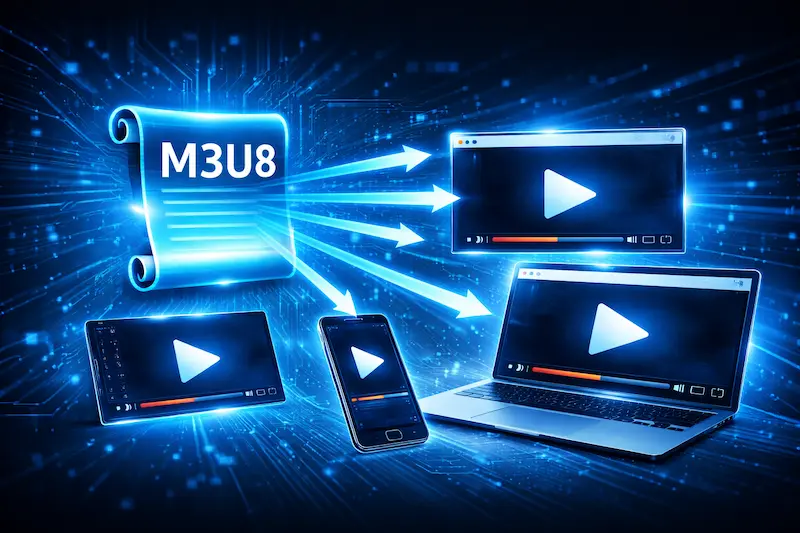
Why Can't You Just Double-Click an M3U8 File?
Many people try opening an M3U8 file with their default media player on the first attempt, only to see nothing happen. This is because M3U8 is not a video — it's a plain-text playlist that only records the location and playback order of video segments.
If you're unsure how M3U8 differs from a normal video format, read this first: 👉 What is M3U8? Ultimate Guide
What Do You Need to Play M3U8?
To successfully play M3U8, you generally need at least one of the following:
- A player that natively supports HLS
- A playback environment that allows cross-origin stream loading
- A stream source without extra restrictions (e.g., Referer checks or token authentication)
If any of these conditions is not met, you'll likely see a playback failure or error.
Playing M3U8 in a Browser
For most users, browser-based playback is the most intuitive approach — especially when you just want to quickly test whether a stream works.
Can Chrome or Edge Play M3U8 Directly?
Chrome and Edge do not natively support HLS. Pasting an M3U8 URL into the address bar typically results in a download prompt or an error, not playback. You'll need an extra tool to handle it.
The most common approach is using an online player that uses JavaScript (via hls.js or similar) to parse the M3U8 stream. This site's M3U8 Online Player is designed exactly for this — paste a URL and press play. No installation, no risk. If you need to download the stream as MP4, try the HLS Downloader.
Advantages of Online Playback
- No software to install
- No video file stored locally
- Ideal for quickly verifying whether a stream is accessible
If your goal is just to confirm "does this M3U8 work?", online playback is almost always the fastest option.
Playing M3U8 with a Desktop Player
If you prefer desktop software, several local players support HLS natively.
Windows
On Windows, the following players support M3U8 out of the box:
- VLC Media Player — Open Network Stream → paste the M3U8 URL
- PotPlayer — Open URL → paste the M3U8 URL
- MPV — run
mpv <url>from the command line
Note: even if the player supports HLS, some streams with access restrictions (Referer, tokens) may still fail.
macOS
VLC and MPV on macOS behave similarly to the Windows versions. Safari has built-in HLS support and can sometimes play M3U8 directly in certain contexts — though success still depends on the source stream's configuration.
Playing M3U8 on Mobile
Mobile devices generally have fewer restrictions for M3U8 playback than browsers, but behavior still varies by platform.
iOS (iPhone / iPad)
iOS has system-level HLS support. In many cases, opening a stream page in Safari will trigger native playback. However, a bare M3U8 URL may still require a dedicated player app.
Android
Android does not have unified HLS support. You'll typically need to download a streaming-capable player app (e.g., VLC for Android, MX Player). Results vary by device and OS version.
How to Diagnose Playback Failures
When M3U8 won't play, the instinct is to blame the player — but the issue is almost always on the stream source side.
Common Error Types
- 403 Forbidden — Your IP or origin is blocked by the stream source
- CORS Error — The source server doesn't allow cross-origin loading in the browser
- Endless spinner, no picture — Wrong URL, expired token, or encrypted content
Most of these are permission or source restrictions unrelated to your player. For a detailed breakdown:
👉 Common M3U8 Playback Errors & Fixes
Online Player vs. Local Player: Which to Choose?
Here's a simple decision guide:
When to Use an Online Player
- You just want to test if a stream is functional
- You don't want to install anything
- You're concerned about stream source safety
When to Use a Local Player
- You've already confirmed the stream source is stable and reliable
- You're watching long-duration content from a trusted channel
- You prefer a full desktop media player experience
For more on the safety angle:
👉 Why Online Playback is Safer Than Downloading
FAQ
Do you always need an internet connection to play M3U8?
Most M3U8 streams are served from remote servers, so yes — an internet connection is typically required.
Why does the same M3U8 behave differently in different players?
Players vary in their HLS support and how they handle restrictions. A failure in one player doesn't necessarily mean the stream itself is broken.
Is playing M3U8 streams safe?
M3U8 is just a playlist — the risk entirely depends on whether the source is trustworthy. Online playback is generally the more contained option.
Ready to test your M3U8 stream?
🚀 Try the M3U8 Online Player